Accessibility audit: understand what to fix

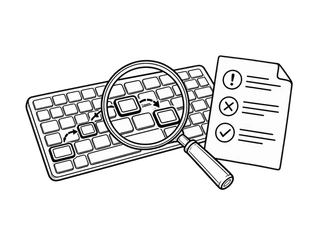
I assess accessibility barriers in websites, apps and documents within the agreed sample. You receive reproducible evidence, priorities and correction guidance for your team.

What you receive from the accessibility audit

A report, priorities and guidance for assigning the work; an ACR/VPAT when requested as part of the engagement.

  • Finding

    Report with evidence

    Each finding records the environment, steps, observed and expected behaviour, impact and evidence. A non-conformity requires evidence that an applicable WCAG criterion is not met; a recommendation is not a non-conformity.

  • Priority

    Priorities with a rationale

    Severity describes the impact of a barrier. Priority also considers how widespread it is, the journeys affected and usable alternatives.

  • Plan

    Correction guidance

    Proposals for the team and tests to repeat after changes. Retest outcomes are included only when specified in the engagement.

  • ACR/VPAT

    Conformance documentation, when included

    I prepare an Accessibility Conformance Report using VPAT or the European model, based on the agreed checks. The document states coverage, evidence and limitations; it does not replace testing and is not a product certification.

From finding to closure: a complete example

Fictional example: a catalogue barrier, the proposed fix and a simulated retest. It shows how I document the work; it does not report client results.

DEMO-F01 · Focus is not visible on catalogue controls

The QUOTIDIANO catalogue lacks a focus indicator. Case DEMO-F01 follows the same barrier from the report through verification of the fix.

  1. The finding

    Focus reaches “Choose Bag”, but nothing identifies the active control.
    Impact on the person
    Without a visible indicator, someone using Tab may lose their position and activate the wrong product.
    Reasoned priority
    High in the fictional case: the issue affects both controls and makes product selection harder.
    Steps to reproduce
    In version A: reach both controls with Tab, then move back with Shift+Tab. Focus changes, but no outline identifies the active control.
    Environment and scope
    Scenario configurations: catalogue page, two products, keyboard journey; versions A and B, light and dark themes, reference widths of 320 and 1280 px. Basket, payment and other pages are excluded.
  2. The correction

    An outline makes “Choose Bag” identifiable when it receives focus.
    Documented fix
    Version B adds an outline to the :focus-visible state of native buttons. It must stand out from the control and background without changing the layout. Reference: WCAG 2.2, criterion 2.4.7, level AA.
    Responsibilities
    The product owner approves the priority; design defines the outline; development implements it; the tester repeats the checks and updates DEMO-F01.
  3. Closure

    The outline follows Tab from Bag to Backpack and moves back with Shift + Tab.
    Closure criterion
    On both controls, the outline follows Tab and Shift+Tab, remains distinguishable in both themes and is not clipped at 320 or 1280 px.
    Verification status
    Closed in the simulated case: version B meets the DEMO-F01 criterion. Closure concerns this issue, not the compliance of the catalogue.

Simulated retest: what changes and what closes

Expected outcomes in the demonstration scenario, to record after testing version B.

  1. Tab and Shift+Tab · passed in the scenario

    Before: no indicator distinguishes the active control. After: the outline follows focus on both products, including when moving backwards. Record: DEMO-F01, version B, forwards and backwards navigation.

  2. Themes and available space · passed in the scenario

    In the specified configurations, the outline remains distinguishable in light and dark themes and is not clipped at 320 or 1280 px. The record concerns focus visibility; it does not extend the outcome to every contrast on the page.

  3. Activation and regression · passed in the scenario

    Enter and Space activate the focused product; the summary displays the selection. Changing the indicator does not affect filters or Tab order. No purchases are simulated and no personal data is recorded.

Final deliverable: finding DEMO-F01, the fix and linked outcomes. The scope covers focus on the two controls; screen readers, payment and conformance of the whole page remain excluded.

What is assessed

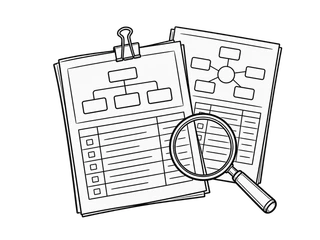
I assess important journeys, recurring components and error states. The report identifies pages, versions, environments and exclusions. Results do not automatically establish conformance for unassessed areas.

  • Navigation

    Navigate without a mouse

    Menus, dialogs, forms and critical journeys: focus order, freedom from keyboard traps and a consistently visible focus indicator.

  • Semantics

    Understand structure and controls

    Headings, structure, labels, text alternatives and relationships between elements; control names, roles and states exposed to assistive technologies.

  • Experience

    Receive useful feedback

    Errors associated with fields, confirmations and updates that can be perceived without looking at the screen.

  • Content

    Documents, emails and media

    PDF, Word, HTML email and media, when included: structure, PDF tags, reading order, text alternatives and controls. Exported PDFs are assessed separately. Scanners do not replace manual testing.

How the checks are performed

The three methods complement one another: scanner results are validated through manual testing and assistive technologies.

  • Manual

    Manual testing

    I follow journeys using a keyboard, zoom and structural reading, checking interactions, errors and dynamic states.

  • Tools

    Supporting tools

    Scanners such as axe DevTools and WAVE, contrast tools and DevTools help identify issues to validate in context.

  • Assistive

    Assistive technologies

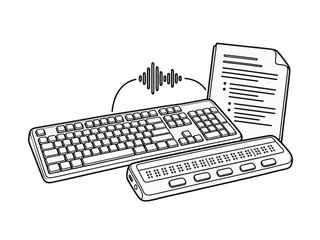
    Agreed screen readers and environments, for example NVDA, JAWS, VoiceOver or TalkBack. The combinations and versions actually used are recorded in the report.

Before getting started

Access, scope and agreements needed to organise the work.

What we need from you
URL or build, test accounts and data, source documents if available, a product contact and a technical contact.
Scope
We agree pages, components, journeys, markets and applicable requirements; PDF and Word when included. Exported PDFs are assessed separately from their source. An audit is not a usability study with participants or a complete functional test. Untested areas remain explicit.
How we continue
After the initial discussion, I propose the sample, activities, deliverables and estimate. The engagement starts after agreement. Support and retesting are agreed separately.
Frequently asked questions

Timing, documents and references to agree for your project.

How long does an accessibility audit take?

The duration depends on the scope, sample of pages and journeys, test environments and available access. We agree a schedule for the project, distinguishing the initial assessment from any retesting.

Do you also assess the accessibility of PDF and Word documents?

Yes, including as a standalone scope. I assess structure, reading order, headings, tables, text alternatives, links and language, using manual checks and assistive technologies. For PDFs, I also check tags and form fields where present; for Word, styles and source structure. The exported PDF is assessed separately. The report identifies files, versions, test environments, barriers and remediation guidance; other formats and any retesting are agreed separately.

Which regulations does the audit consider?

WCAG 2.2 and references relevant to the project, including EN 301 549, Legge 4/2004, AgID Guidelines and the European Accessibility Act. The framework also depends on target markets and client requirements; the service is available for US and international projects. Language and documentation are agreed as part of the engagement.

Which journey would you like to start with?

Send me the product link or describe the document to assess. I will reply to clarify goals and access, then we agree on the sample, activities and estimate. Your request does not start an engagement.